IDEXX inVue Dx Cellular Analyzer
Ear cytology

Get automated, objective results in just 8 minutes.
The IDEXX inVue Dx Cellular Analyzer gives you objective results with minimal variability.
- Otitis externa is common and complex, showing up in up to 20% of small animal visits.
- Doing cytology during the visit is the fastest way to land on the right treatment and relieve discomfort.
- The IDEXX inVue Dx analyzer removes guesswork with consistent prep and full‑sample interpretation.
- Because this analyzer is slide-free, it’s able to analyze 10x more of each sample.


Real practices, real experiences.
When veterinary teams talk about what’s working in their clinics, the results speak for themselves. Take a look at what veterinarians and their teams are saying about the IDEXX inVue Dx analyzer.
“The inVue Dx has become our sole ear cytology tool because we trust its accuracy, eliminating human subjectivity and giving us consistent results that have transformed our workflow.”
—Becky Palm, RVT
“Being able to show clients the inVue Dx’s clear, consistent reports has dramatically improved my communication with pet owners and strengthened their compliance with rechecks.”
—Kayla Radtke, DVM
Case study
Sadie’s ears had a lot to say.
Sadie’s ears had a lot to say, and her veterinarian was ready to listen.
Watch Sadie’s story to see the benefits of IDEXX inVue Dx ear cytology.
Preparing samples
It doesn’t get much simpler than this. Keep the shelf-stable cartridge and diluent within arm’s reach, drop it into the analyzer, hit start, and go.
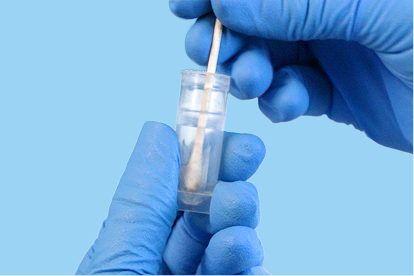
1. Swirl the swab in the tube to release the sample and break up any clumps. Then, squeeze the swab dry with the tube neck.
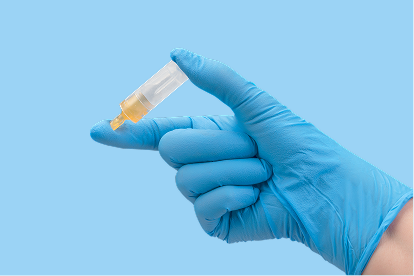
2. Cap the tube and invert it 5–10 times.
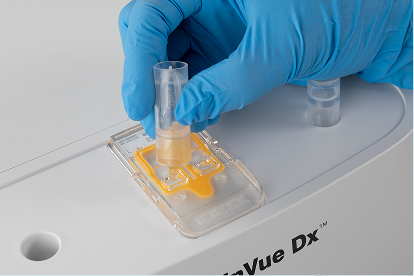
3. Remove the tab and pour the entire tube contents into the applicable (left or right) cartridge port. Then, repeat steps 1–3 for the other ear and you’re done.
It’s easy once you see it in action. Watch this short video that shows exactly how to prepare an ear cytology sample for analysis on the IDEXX inVue Dx analyzer.
Better sample preparation, better results.
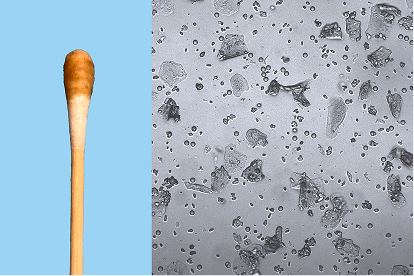
Proper sample volume
Using the proper sample volume provides results and images you can be confident in.
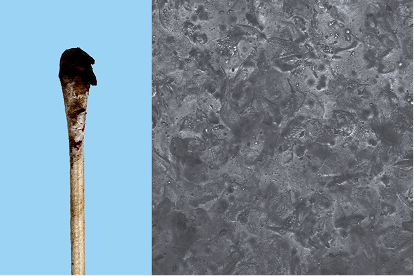
Too much sample
Clumps and globs can overcrowd the view, leading to suppressed results.
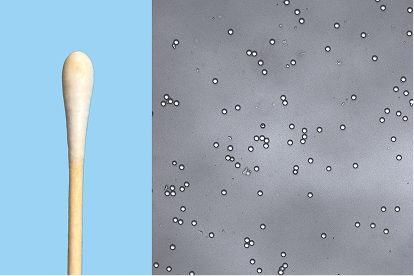
Too little sample
Lacks cellular quantity to provide accurate results and images (objects in image are focus beads).

Reliability has a nice ring to it.
The IDEXX inVue Dx Cellular Analyzer identifies microorganisms and cells in ear swab samples using its computational power and deep learning models to produce actionable, automated, algorithm-aided classification and interpretation of ear cytology samples.
Understanding results
Only you can evaluate your patients’ clinical signs. Add in the trusted, comprehensive diagnostics from our analyzers, and you have everything you need to make well-informed clinical decisions.
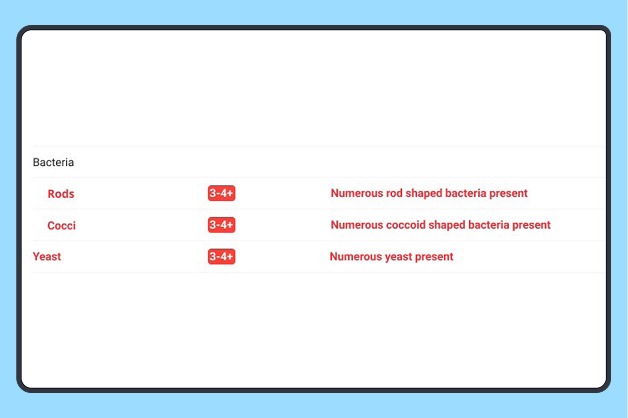
Analyzes semiquantitative results, rod-shaped bacteria, coccoid-shaped bacteria, and yeast.
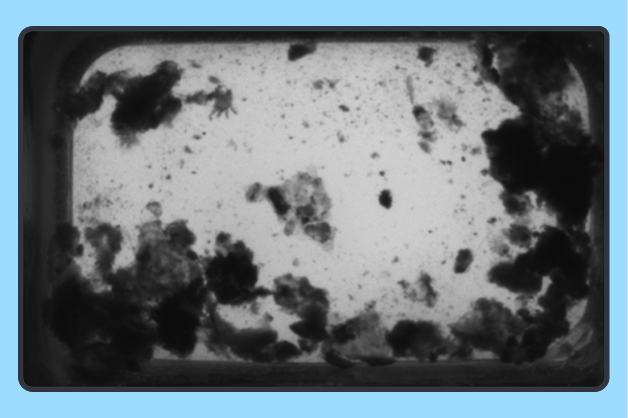
Mite evaluation detecting live mites in motion.
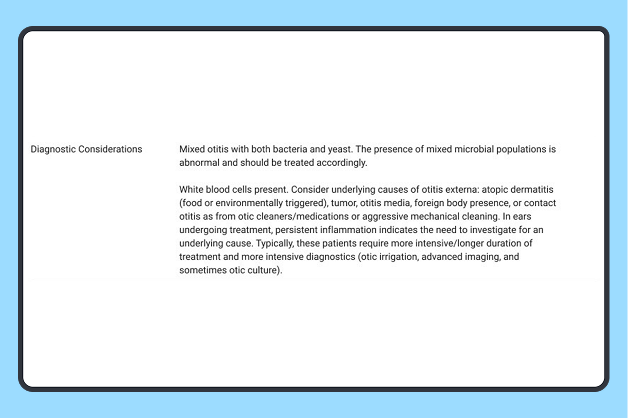
Results are summarized and next steps are provided. Diagnostic Considerations are like getting a second opinion on every result.
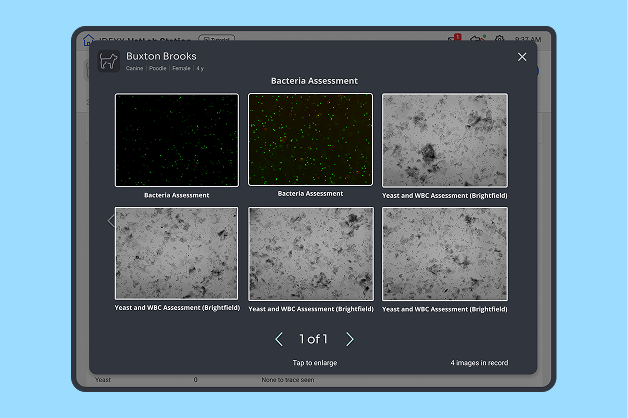
The image gallery pairs analyzer results with clear visuals, similar to reference lab pathology images, to visually support client conversations.
Results images
Explore the image gallery, which features key analyzer findings as a part of the complete results. Images are a visual representation of the IDEXX inVue Dx analyzer’s results and do not require clinical interpretation. Similar to pathology reports from a reference laboratory, the images can help explain a diagnosis to pet owners.
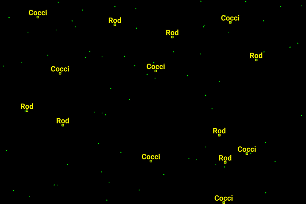
Bacteria assessment
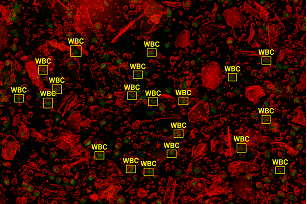
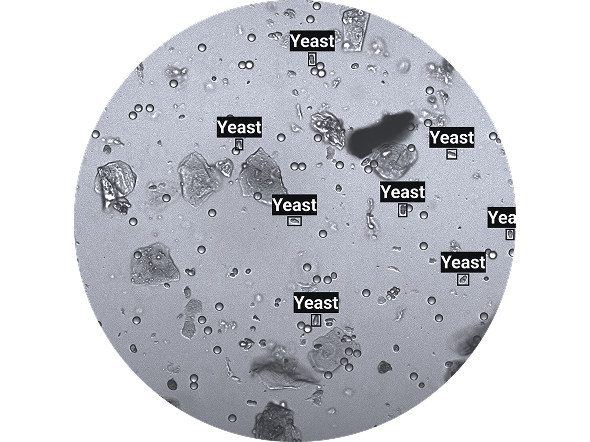
Yeast and WBC assessment (composite)
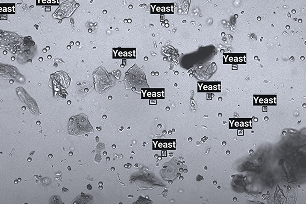
Yeast and WBC assessment (brightfield)
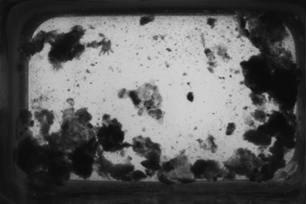
Mites assessment
Frequently asked questions
To run a sample, confirm consumables are loaded, prepare the sample as instructed for your instrument, and follow the on-screen workflow to begin testing. Instrument-specific “Run a Sample” quick guides are available for step-by-step instructions.
You can find results directly on the analyzer under the Results tab, in connected practice software, or in cloud-based archives depending on your setup. Instructions for viewing, filtering, and exporting results are available in your instrument’s support section.
Ensure your analyzer is connected to the internet. That’s it! The IDEXX inVue Dx analyzer automatically updates its own software. For the IDEXX VetLab Station, navigate to Settings → Software Update, and follow the prompts. You can review release notes and update requirements on the product support page.
The IDEXX inVue Dx analyzer is a Pay Per Run system. Only pay for what you run! Shipments are sent automatically depending on your volume of use. View shipment status through your online customer portal.
This value means the IDEXX inVue Dx analyzer saw a very small amount of that element in the sample. If there are no clinical signs, consider the finding to be consistent with a patient’s normal, baseline results. If there are clinical signs, interpret as a small amount of sample present that may require intervention.
Resources
Just getting started with the IDEXX inVue Dx analyzer? We have a selection of guides, videos, and other resources that make it easy to get up to speed.
Test menu
This is where you’ll find the complete IDEXX inVue Dx menu for blood morphology and cytology tests.